WhatsApp Backup vs Export: What Is the Difference?
A WhatsApp backup is normally created so chats can be restored inside WhatsApp, while a WhatsApp chat export creates a copy that can be read or stored outside the app. Phone transfer moves chat history between supported devices. A local archive such as Bakvio serves a fourth purpose: searching, reviewing and exporting business records on a computer. These methods are related, but they are not interchangeable.
Quick answer: Use an official WhatsApp backup when you need to restore chats into the app. Use native export for an occasional copy of one conversation. Use phone transfer when changing devices. Use Bakvio when you need a searchable local archive of accessible chats, media, contacts and group-member records on Windows or macOS.
WhatsApp backup vs export at a glance
| Method | Main purpose | Read directly on a PC | Search many saved records | Restore into WhatsApp | Contacts and group records |
|---|---|---|---|---|---|
| Google Drive or iCloud backup | Restore WhatsApp after reinstalling or changing a device | Usually no | No | Yes, when restore requirements are met | Not as a structured business export |
| Android local restore files | Restore supported Android chat history | Not normally human-readable | No | Sometimes, with the correct files and setup | No structured export |
| WhatsApp native chat export | Save a readable copy of one selected chat | Yes | One export at a time | No | Participants may appear in the chat, but it is not a member database |
| Phone-to-phone transfer | Move chat history to another supported phone | No | No | Moves history into WhatsApp | Moves as part of the supported transfer |
| Bakvio local archive | Search, view and export accessible business records | Yes | Yes | No | Separate contact and group-member backup areas |
The right choice depends on what you expect to do later. Restoration, migration, reading, searching and structured export are different jobs.
Read the complete WhatsApp Chat Backup to PC guide if your goal is a local, searchable computer archive.
What is a WhatsApp backup?
In everyday use, “backup” often means the official restore copy associated with WhatsApp. Its purpose is continuity inside the app: reinstall WhatsApp, verify the required account and phone number, and restore compatible chat history when the platform permits it.
On Android, that workflow commonly involves Google Drive and may also involve local device files. On iPhone, WhatsApp commonly uses iCloud. Availability, account requirements, storage and restore behavior can change with the platform, so review WhatsApp’s current instructions before relying on a restore plan.
An official backup is valuable for disaster recovery, but it is not normally designed as a folder of readable conversations. You usually cannot open it on a PC, browse individual messages and export selected business records without first completing the supported restoration process.
What is a WhatsApp chat export?
Native chat export creates a copy of a selected individual or group conversation outside WhatsApp. Depending on the platform and available content, the export can include a text history and selected media.
Export is useful when:
- You need one conversation for reference.
- You want to share a selected history with an authorized colleague.
- You need a readable copy without restoring a complete account.
- You want to preserve a project or customer thread at a milestone.
Export has a different limitation: the output is not a restore package. You cannot take a TXT, HTML, CSV or media folder and import it back into WhatsApp as live chat history. Native export is also a conversation-by-conversation workflow rather than a central business archive.
For a readable browser format, see How to Export WhatsApp Chats to HTML with Media.
What is WhatsApp phone transfer?
Phone transfer is a migration workflow. It moves supported history from one device to another so that the destination continues using WhatsApp. Transfer may be the best choice when replacing a phone, but it does not create an independent archive for a manager, support reviewer or former-account handover.
Treat transfer as a planned device change, not as the only copy of business records. A failed, incomplete or delayed migration can create operational risk if nobody has verified the important conversations separately.
What is a searchable local archive?
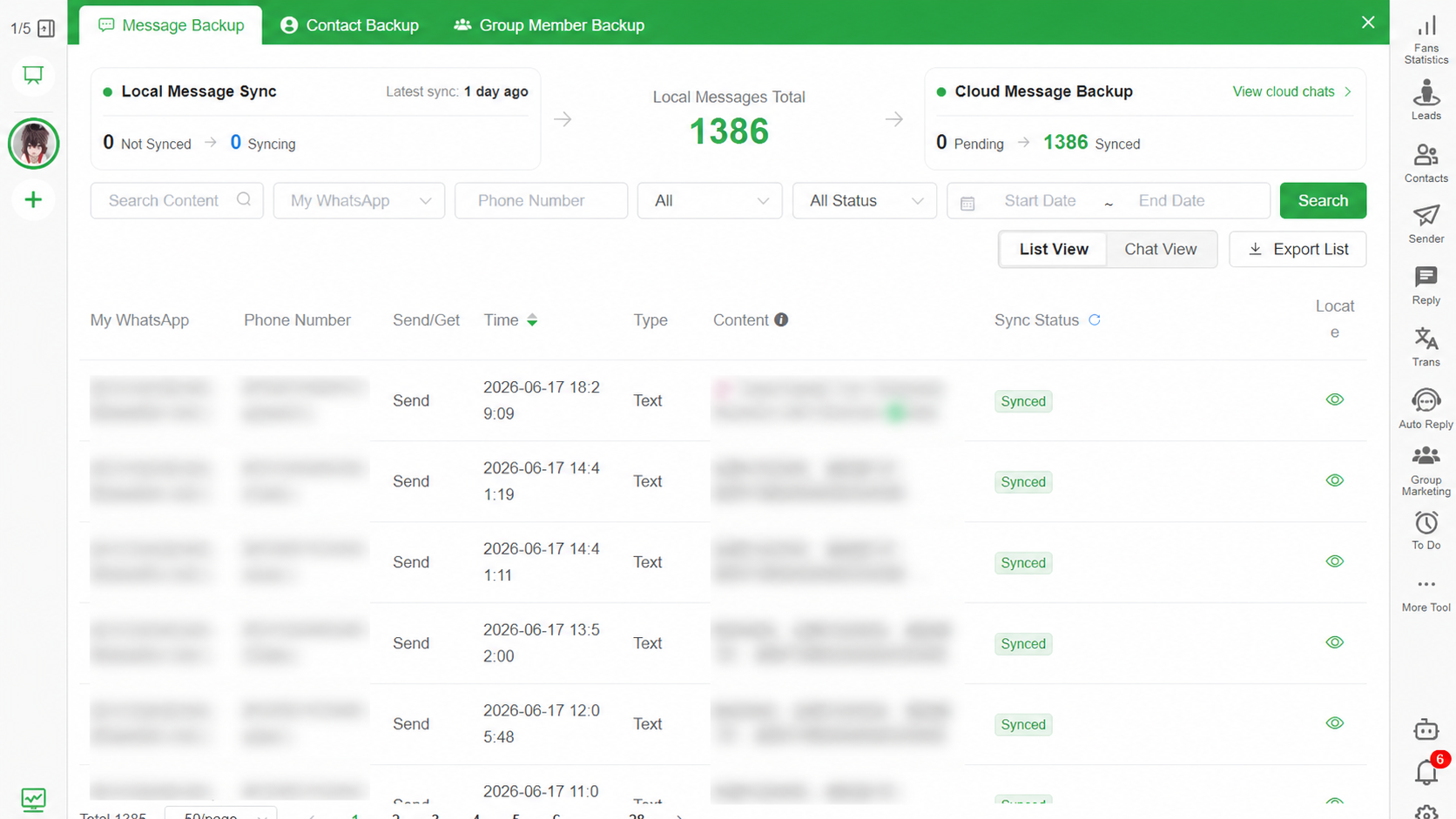
A searchable local archive is designed for access outside the phone. Bakvio saves completed backup records on the computer running the client. Authorized users can review saved conversations, switch between conversation and list views, search available fields and export selected records.
Bakvio separates three record types:
- Chat Backup for accessible messages, timestamps and supported media.
- Contact Backup for available saved and unsaved numbers, names and account relationships.
- Group Member Backup for available group names, member numbers, nicknames, country codes, admin status and supported membership events.
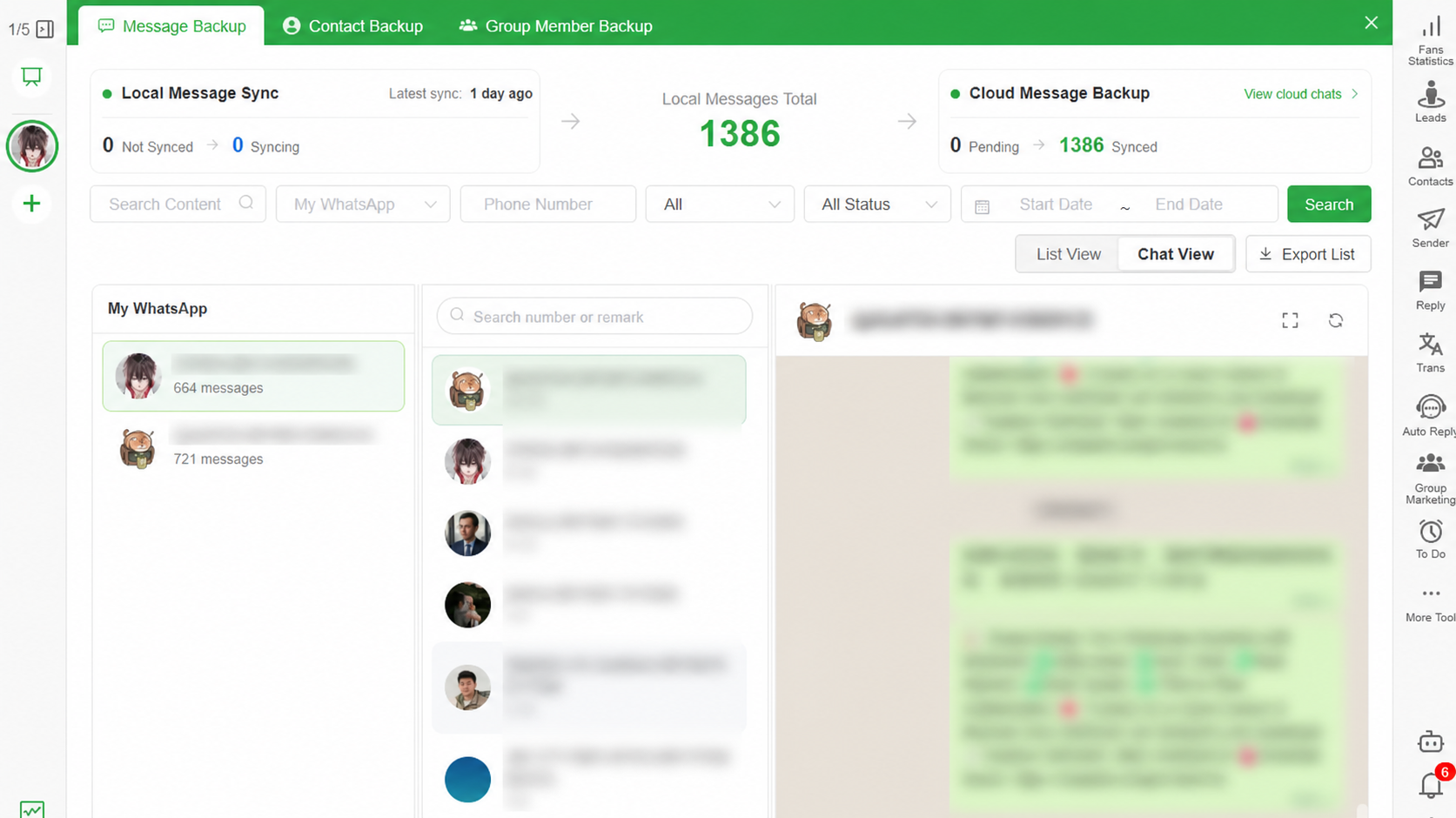
This archive complements rather than replaces an official restore backup. Bakvio does not restore HTML or spreadsheet files into WhatsApp.
Which method is best for each goal?
Restore WhatsApp after reinstalling
Use WhatsApp’s supported backup and restore workflow. Confirm the correct account, phone number, encryption credentials and available storage before an incident occurs.
Change to another phone
Use a supported transfer or restore workflow. Verify recent messages and media on the destination before wiping the old device.
Keep one conversation for reference
Native export may be sufficient. Open the output and verify that the required date range and media are present.
Search many business conversations
Use a local archive built for retrieval. Bakvio can search data already saved in its Backup Center instead of requiring separate manual exports for every lookup.
Archive contacts or managed group members
Use Bakvio’s dedicated contact and group-member areas when your organization is authorized to retain those records. A chat text export is not a reliable substitute for structured member fields.
Can you use backup and export together?
Yes. For many businesses, the strongest approach uses more than one method:
- Keep an official restore backup for recovery inside WhatsApp.
- Create a verified local archive for reading and searching business records.
- Export milestone conversations to HTML when people need readable context.
- Export structured data to Excel or CSV only for approved operational purposes.
- Protect the computer and export folders with encryption and access controls.
This is not unnecessary duplication. Each copy has a different purpose and failure mode.
Media behaves differently in backups and exports
A restore backup may include supported media for restoration, depending on settings, availability and storage. An export includes only the media available to that export process. A local Bakvio archive can save supported media that remains accessible during backup.
No method can recreate an attachment that is already unavailable. Verify important photos, videos, audio and documents rather than relying on a record count.
Privacy and storage control
Cloud restore backups can be protected with WhatsApp’s end-to-end encrypted backup options. Local archives provide a different form of control: completed Bakvio data remains on the user’s computer, and the user chooses where exports are saved.
Neither storage model is automatically secure. For local archives:
- Enable full-disk encryption.
- Use individual operating-system accounts.
- Restrict export folders.
- Avoid unapproved synchronized directories.
- Maintain a protected second copy when business continuity requires it.
- Delete records according to an approved retention policy.
How to verify each method before relying on it
A label such as “backup complete” or “export finished” is not enough for a business continuity plan. Test the outcome that the method is supposed to deliver.
For an official restore backup:
- Confirm the correct cloud account and phone number are associated with WhatsApp.
- Record whether end-to-end encrypted backup is enabled and who controls the required credentials.
- Check the latest successful backup time and the selected media settings.
- Document the supported restore procedure without deleting the active account merely for a test.
For a native chat export:
- Open the exported text or archive on another authorized device.
- Check the start and end dates.
- Confirm whether the required media was included.
- Record which conversation and account produced the export.
For a Bakvio local archive:
- Search for a known message in the Backup Center.
- Open the same conversation in context.
- Check one recent and one older supported attachment.
- Export a small HTML sample and open it locally.
- Verify a saved contact, an unsaved number and a managed group when those records are in scope.
These checks reveal a critical difference: a restore backup can be healthy while still being unsuitable for direct review, and a readable export can be accurate while remaining unusable for restoration. Verification must match the intended outcome.
Important limitations
This workflow overview was reviewed on 08/05/2026. Product labels and availability may change.
- Bakvio can only save data accessible during the backup process.
- It cannot retrieve messages or media that were never successfully backed up.
- It cannot continue collecting new records after account access is lost.
- It does not restore exported files into WhatsApp.
- An export is not automatically certified legal evidence.
- Contact and group-member exports require an authorized purpose and appropriate privacy handling.
Frequently asked questions
Can a WhatsApp backup be opened on a computer?
Official restore backups are not normally designed for direct reading. A Bakvio local archive can be viewed in the Backup Center, and selected conversations can be exported to readable HTML.
Can an exported WhatsApp chat be restored?
No. Native text exports, Bakvio HTML files, Excel and CSV are access or archive formats, not WhatsApp restore packages.
Does WhatsApp export include photos and videos?
It can include supported media subject to platform limits and file availability. Always test the output. Bakvio can also save and export supported media that is accessible during backup.
Is phone transfer the same as backup?
No. Transfer moves supported history to another device. Backup creates a restore source, while export or local archiving creates records for use outside WhatsApp.
Should a business use backup or export?
Usually both: an official backup for restoration and a searchable local archive for authorized reading, retrieval and export.
Where does Bakvio store its backup?
Completed Bakvio backup data is stored on the computer running the client. Exported files go to the location selected by the user.
Choose the method before data is needed
Do not wait for a damaged phone, inaccessible account or employee departure to decide what “backup” was supposed to mean. Define whether the business needs restoration, migration, readable history or structured records, then verify the matching workflow.
Download Bakvio to create a searchable local archive of accessible WhatsApp chats, media, contacts and authorized group-member records on Windows or macOS.
Local WhatsApp Backup vs Google Drive and iCloud
Understand when to use an official cloud restore backup, a searchable local archive, or both.
WhatsApp Chat Backup to PC Without Cloud Storage
A practical guide to creating a readable, searchable WhatsApp chat backup on your computer while keeping control of messages, media, contacts and group records.