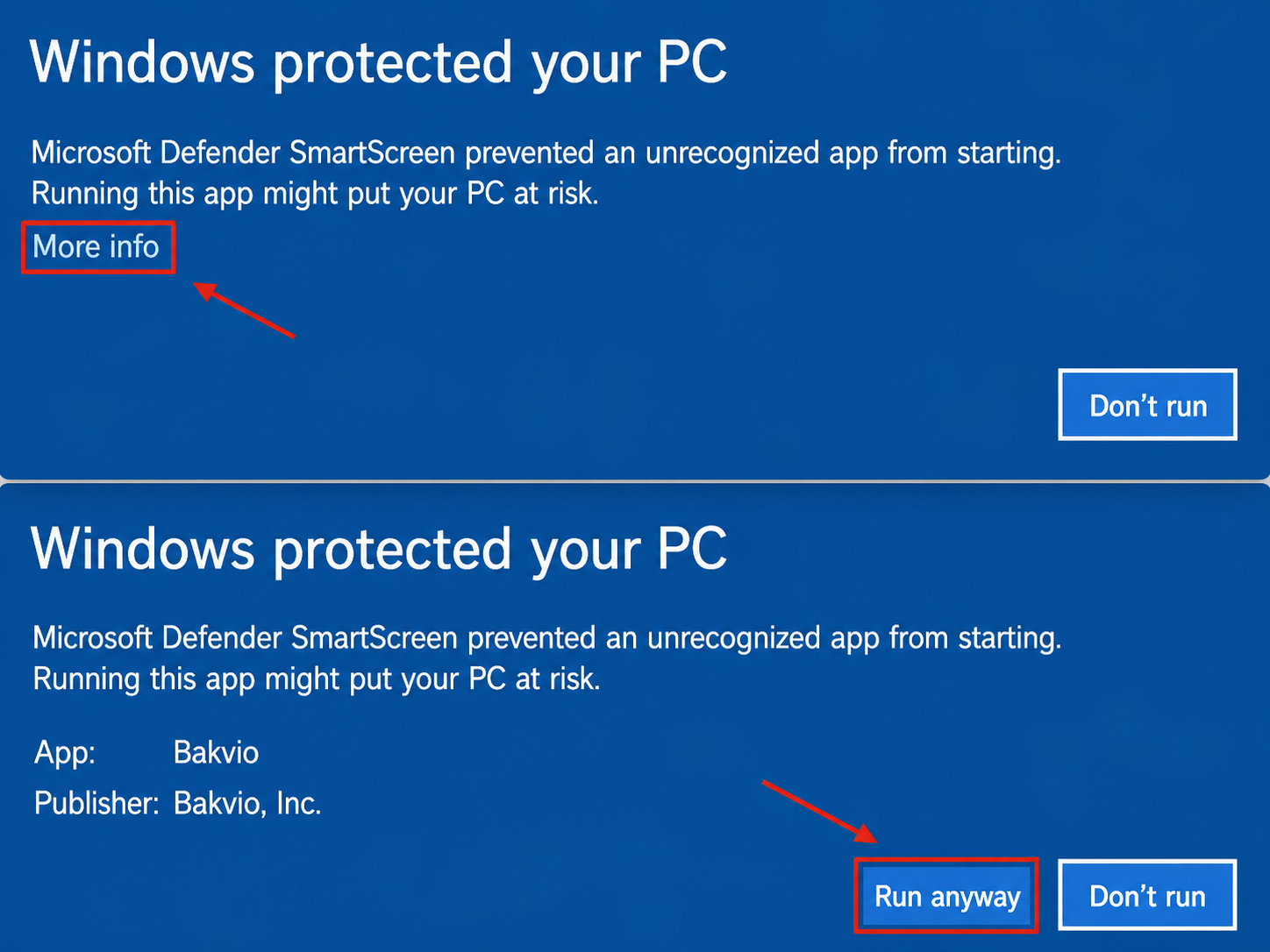
Windows Protected Your PC
Solution 1: Click "More info" and then click "Run anyway" to open Bakvio.
Solution 2: If Windows continues to block the app, stop and contact Bakvio support. Do not disable SmartScreen or other security protections.
Install Help
Solution 1: Click "More info" and then click "Run anyway" to open Bakvio.
Solution 2: If Windows continues to block the app, stop and contact Bakvio support. Do not disable SmartScreen or other security protections.
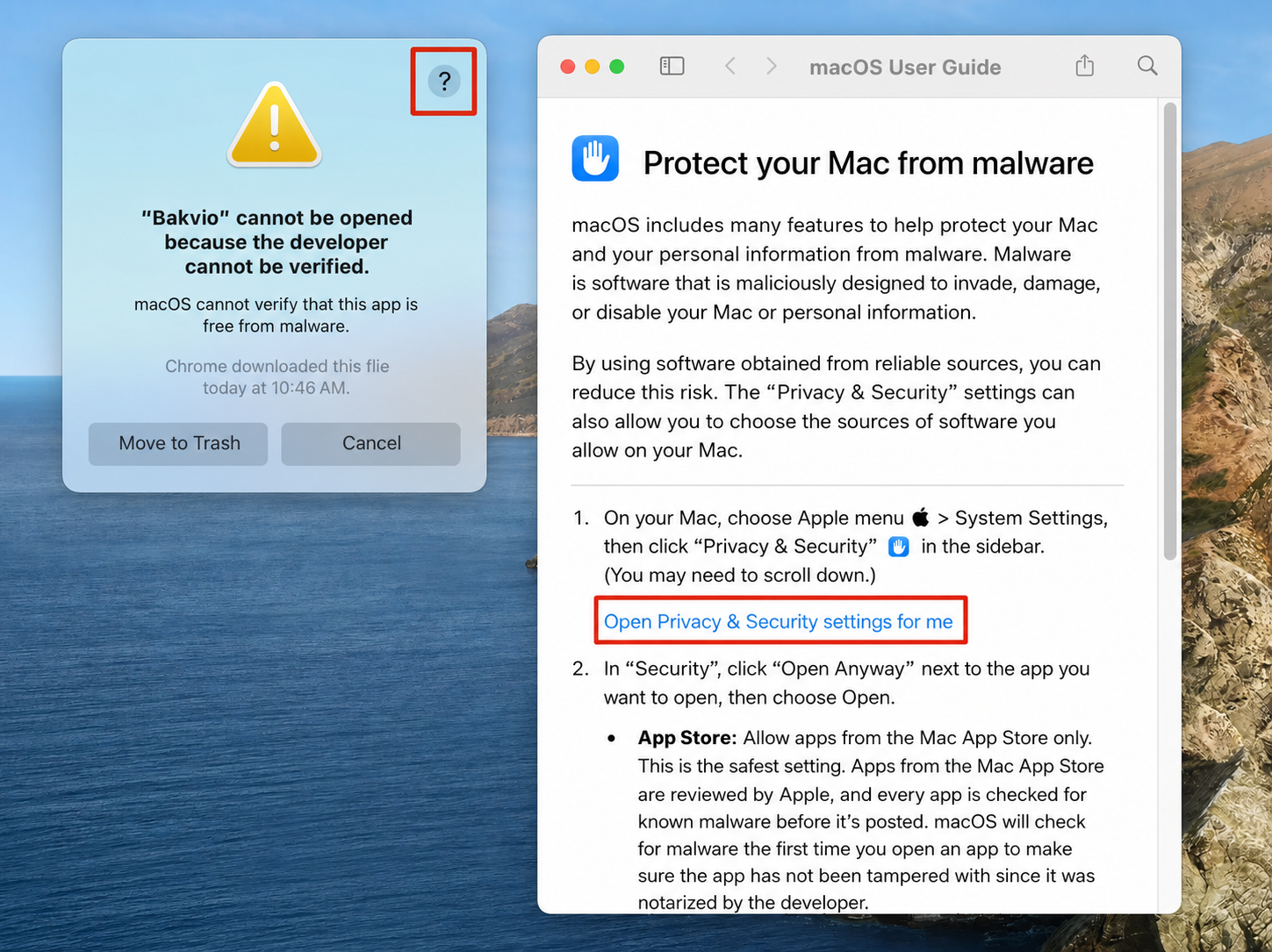
Solution 1: Hold the Control key and click the Bakvio icon, then choose Open.
Solution 2: Click the question mark [?], open Privacy & Security settings, then click "Open Anyway" to launch Bakvio.